
Code

Recent Entries Accessory

for ExpressionEngine 2

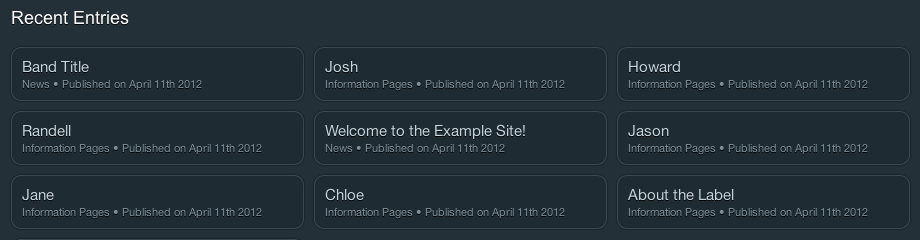
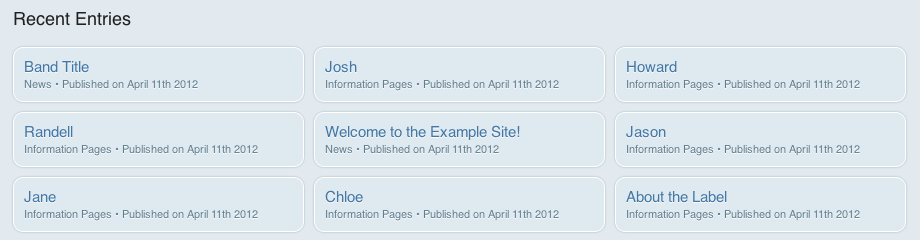
The Recent Entries accessory lists your most recently updated entries, so wherever you are in the control panel you're only a couple of clicks away from editing the content you were last working on.

Usage

Installation

  1. Upload the recent_entries folder to /system/expressionengine/third_party/
  2. Enable the accessory via the accessories manager (Add-ons > Accessories)
  3. Optionally specify who should see the accessory and where it should show up by clicking the Recent Entries link in the accessories manager

Themes

Recent Entries includes support for all of the official EE2 themes. In addition it supports custom themes: If you have a custom theme and would like to override the default styles then create a new file named yourtheme.css (where ‘yourtheme’ is, you’ve guessed it, the name of the custom theme you’re using) and place it inside the third_party/recent_entries/css folder. The file will be detected and displayed instead of the default CSS.

Corporate Theme

Showing more/fewer entries

To modify the number of entries that are listed, change the following line of code within acc.recent_entries.php

var $max_entries    12

CSS3

This accessory takes advantage of some CSS3 features which will only work in decent browsers. The functionality will still work fine if you must use IE6 (or IE8 for that matter), but the formatting will be much more basic.

Changelog

Feedback & Support

Currently all support is being handled via email, following the closure of the official EE third party addon forums. You may still find that the Recent Entries Accessory thread on the archived forums is of use.

This addon is released under the Creative Commons Attribution-No Derivative Works license.

Download